Track competitor prices daily with Python
A daily competitor price tracker in about forty lines of Python: prices extracted as numbers, each run compared with the last, and a blocked page never mistaken for a price change. With a real run and what a month costs.
On this page
Black Friday falls on 27 November this year, and every pricing team knows the week before it: competitors move prices overnight, a few times, and the person who notices first wins the margin. Checking twenty product pages by hand each morning is how most teams start. It stops working at the second competitor.
This guide builds the replacement in Python. A scheduled crawl reads the competitor's product pages, extracts the price as a number rather than a string, compares each run with the one before, and writes one line per price that moved. Pages that were refused or blocked are reported as such and never counted as a price change. At the end there is a real run, with its numbers, and what a month of it costs.
What a price tracker has to get right
Fetching a page and pulling out £30.54 is the easy part. The parts that make a tracker trustworthy are the ones people add after the first false alarm:
The price is a number.
"£30.54","30.54 GBP"and"30,54 €"should all compare as 30.54, or every currency format change looks like a price change.Only meaningful change counts. A rotating "recently viewed" strip or a new review must not trigger an alert. The field you care about is the price, not the page.
Blocked is not changed. A product page that returns a 403 or a challenge today has not changed its price, and it has not been deleted. A tracker that records
Nonefor it will report a price drop to nothing.Silence when nothing moved. A daily report that says "12 prices, all the same" every morning is ignored by Thursday.
History. "When did they last change this?" is the question the commercial team asks next.
The plan below handles each of these with a MeshArc project: a site watched on a schedule, with typed fields and a change record per run.
Step 1: install and set up the project
pip install mesharc
export MESHARC_API_KEY=mesharc_...
For a real run we used Books to Scrape, a sandbox built for scraping practice whose prices are randomly assigned. Swap in your competitor's category page. The project starts from a category page, follows its links one hop to the product pages, and skips the other category pages:
# setup_prices.py: run once
from mesharc import MeshArc

arc = MeshArc()  # reads MESHARC_API_KEY

project = arc.projects.create(
    "https://books.toscrape.com/catalogue/category/books/travel_2/index.html",
    name="Competitor prices",
    schedule="daily",                       # 03:00 UTC every day
    config={
        "crawl_mode": "links",              # follow the category page's links
        "max_depth": 1,                     # category page, then its products
        "include_paths": ["/catalogue/*"],
        "exclude_paths": ["/catalogue/category/*"],
        "max_pages": 20,
        "max_credits_per_page": 4,          # never more than a real browser
        "max_credits_per_month": 1000,      # scheduled runs stop past this
        "json_schema": [
            {"name": "price", "type": "number", "required": True},
            {"name": "availability", "type": "string"},
        ],
        # optional: post the run record to Slack when something changes
        # "chat_url": "https://hooks.slack.com/services/...",
    },
)
print(project["id"])
Three settings do most of the work. json_schema declares the fields every page should yield, with types, so price comes back as 30.54, not "£30.54". max_credits_per_page and max_credits_per_month cap the bill before it happens: a page that would need a dearer read is not charged and comes back marked TIER_LIMIT. And chat_url, if you set it, posts the run record to Slack, Discord, Teams, Mattermost or Google Chat only when a run finds something, never when it compared clean.
The seed page is excluded by exclude_paths but still read, because a crawl always reads where it starts. That is what we want: the category page is how new products are found.
Step 2: the daily price check
The project crawls itself every day at 03:00 UTC. This script runs afterwards (from cron, a GitHub Action or any scheduler), compares each product's price with the previous run's, and appends the moves to a CSV:
# prices_today.py: run daily, after the 03:00 UTC crawl
import csv
import datetime
import os

from mesharc import MeshArc, MeshArcError

PROJECT = os.environ["PRICE_PROJECT_ID"]
arc = MeshArc()

record = arc.changes(PROJECT)["change"]
if record["baseline"]:
    raise SystemExit("First run: baseline recorded, nothing to compare yet.")
print(record["summary"], "| withheld:", record["counts"]["withheld"])

def price(url, run_id=None):
    try:
        return (arc.page(PROJECT, url, run_id=run_id).get("fields") or {}).get("price")
    except MeshArcError:          # not in that run: a new product
        return None

moves = []
for row in arc.pages(PROJECT)["pages"]:
    if row["verdict"] != "ok":    # blocked, withheld or skipped: not a price change
        continue
    new, old = price(row["url"]), price(row["url"], record["prevRunId"])
    if new is not None and old is not None and new != old:
        moves.append((row["url"], old, new, round((new - old) / old * 100, 1)))

today = datetime.date.today().isoformat()
with open("price_moves.csv", "a", newline="") as f:
    csv.writer(f).writerows((today, *m) for m in moves)
print(f"{len(moves)} price(s) moved")
Reading the change record and stored pages costs nothing: changes, pages and page read what the crawl already stored and never fetch. So the script can compare every product, every day, without adding to the bill. The category page has no price field, so it drops out of the comparison on its own.
The verdict check is what keeps a blocked page out of your price history. A page the site refused this run is reported as blocked or withheld, and MeshArc does not record removals at all when a run reached under 90% of the site, so a bad night on the competitor's side does not show up as forty products discontinued.
One real run, with numbers
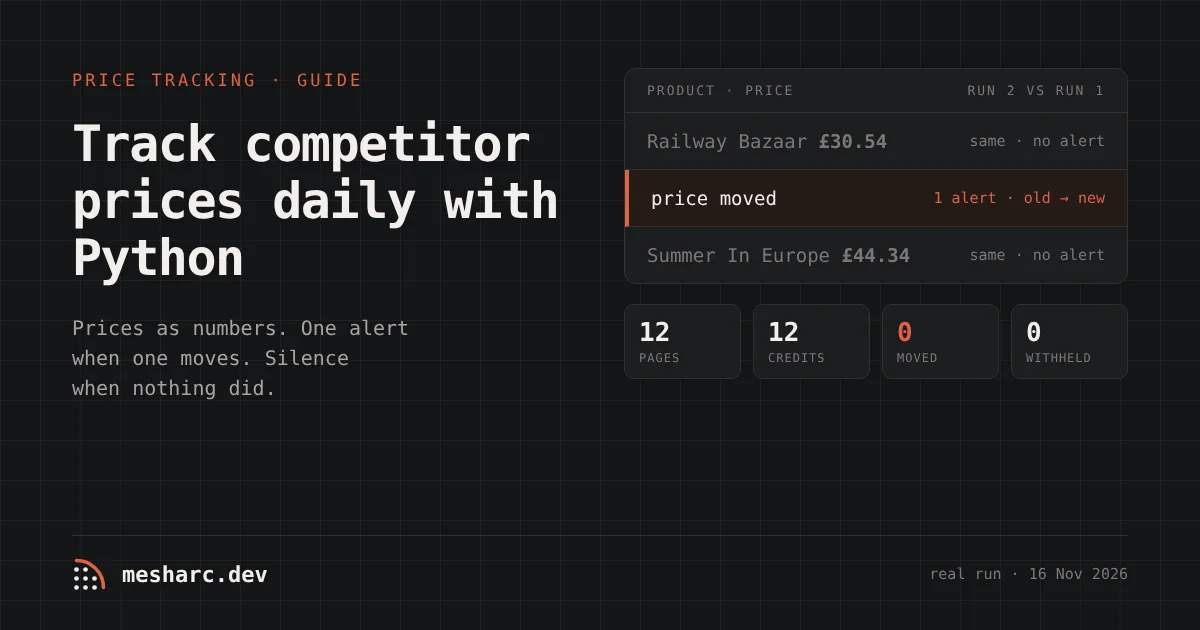
We created the project above (manual schedule, for the test) and ran it twice on 16 November 2026, 30 seconds apart. Results as they came back:
Run 1 (baseline) | Run 2 (compared) | |
|---|---|---|
Pages read | 12 (1 category page, 11 products) | 12 |
Read by | Plain fetch, every page | Plain fetch, every page |
Credits | 12 | 12 |
Time | 17 s | 17 s |
Prices extracted | 11 of 11 products, £23.21 to £56.88 | 11 of 11 |
Change record | baseline recorded | 0 new · 0 changed · 0 removed · 0 withheld, reach 100% |
Prices moved | — | 0 |
A single product page, The Great Railway Bazaar, came back as {"price": 30.54, "availability": "In stock (6 available)"}, with 18,821 bytes of HTML reduced to 4,052 bytes of Markdown. The same page's content hash was identical in both runs, which is why the change record shows nothing.
Two things in that table are worth saying plainly. First, the second run cost the same as the first. MeshArc has to read a page to know its price has not changed, and a page read is billed. Unchanged copies are free only when a site's sitemap says the page has not changed since the last fetch, and product pages rarely carry a reliable lastmod. Second, "0 prices moved" was the right answer: the sandbox's prices are fixed, and a tracker that reported changes here would be reporting noise.
What a month costs
A daily check of 30 days, from the pricing page's rates (checked 16 November 2026):
What you watch | Credits a month | Plan that covers it |
|---|---|---|
The 12 pages above, plain fetch (1 credit) | 360 | Starter uses 0.4%; the free 1,000 credits (once) cover the testing |
200 product pages, plain fetch | 6,000 | Starter ($29 a month, 100,000 credits): 6% |
200 pages that need a real browser (4 credits) | 24,000 | Starter: 24% |
200 pages behind a Cloudflare managed challenge: one render, then the session at 2 credits a page | 12,060 at most | Starter: 12% |
200 pages that refuse datacenter addresses (residential, 16 credits) | 96,000 | Growth ($99 a month, 500,000 credits, stealth tier): 19% |
You do not pick the row. Every page starts at the cheapest read and climbs one rung per refusal, never two, and you pay for the rung that read it. A page the site refused, a 404 and a 410 cost 0, whatever the ladder spent finding out. The session rung is explained in scraping a Cloudflare-protected site for $0.40 per 1,000 pages.
Build it yourself, or use an API?
A requests and BeautifulSoup script on a cron job is a fair way to start, and on some rows it wins:
Your own script | MeshArc project | |
|---|---|---|
Cost per page | Your server and bandwidth, close to nothing | 1 credit plain ($0.20 per 1,000 on Growth), more for browser or residential reads |
Price as a number | You parse each site's format |
|
Blocked page | Looks like a missing price unless you handle it | Reported as blocked or withheld; never a price change; 0 credits |
Run-to-run comparison and history | You store and diff it | Change record per run; page versions kept (90 days by default) |
Alert only when something moved | You write it |
|
JavaScript-only or walled product pages | You add a headless browser and proxies | The ladder climbs when a page refuses |
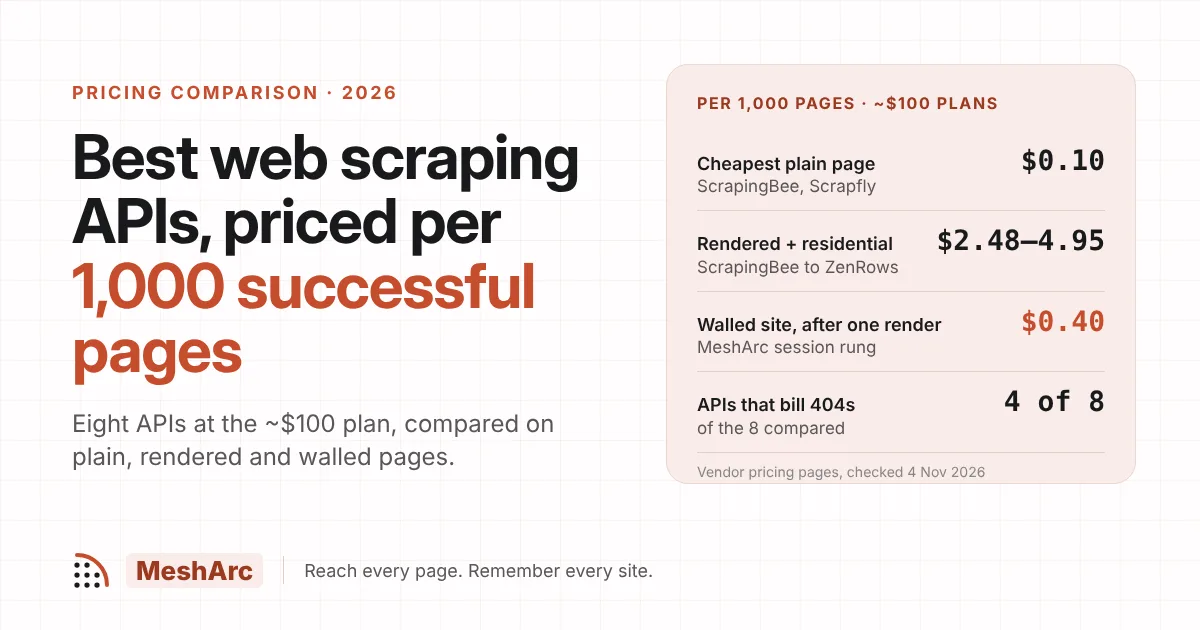
And MeshArc is not the cheapest per plain page. Priced on plans near $100 a month, billed monthly, per 1,000 plain pages (vendors' pricing pages, checked 16 November 2026): Crawl4AI Cloud $0.08, ScrapingBee $0.10, Scrapfly $0.10, ScraperAPI $0.15, MeshArc $0.20, Firecrawl $0.99. If your competitor's pages are plain HTML that never blocks, and you are happy to build the comparison yourself, one of those is cheaper. The maths changes on walled pages after the first render, on 404s (0 credits here; Firecrawl bills 1 credit and ScraperAPI bills 404 responses, both checked 16 November 2026), and in the comparison you no longer have to write.
Before Black Friday week
Run the project manually once a few days before you need it, so the baseline exists when prices start moving.
Check
fieldsRequiredMissingon a product page after the first run: an emptypricethere means the page's markup did not declare one, and is worth fixing before the busy week, not during it.Add the competitor's pricing and plan pages to a second project if you sell software rather than stock. The competitor price monitoring use case covers plan tables and changelogs; website change monitoring is the general pattern, and from diff to Slack to Postgres shows how to land every page version in a table.
Set
max_credits_per_month. A competitor that adds 2,000 products the night before a sale should not surprise your bill.
The short version
One project: a category page as the seed,
include_pathsfor the product pages,json_schemaforpriceandavailability,schedule="daily".A short script compares each price with the previous run's. Reading stored pages and change records costs nothing.
Blocked and withheld pages are skipped, never written down as a price change.
Our run: 12 pages, 12 credits a run, 11 prices extracted, 0 moved.
Every read is billed, including unchanged pages. Refusals, 404s and 410s are free.
Try a URL in the playground to see which fields a competitor's product page declares and what it costs to read, or start free with 1,000 credits and no card, and set the project up before the week the prices move. Full rates are on pricing.
Related posts
Crawl a site and see what changed.
A one-time 1,000 credits to start, browser tier included, no card. The playground answers in seconds.