Scrape a Cloudflare-protected site for $0.40 per 1,000 pages: the session rung
A Cloudflare managed challenge needs a real browser once, not on every page. How MeshArc's session rung reads the rest of the site at 2 credits a page, what it costs per plan, and where it stops helping.
On this page
A Cloudflare "Just a moment…" page is the most common wall a web scraping API meets, and the most common reason a scraping bill grows faster than the page count. Most APIs answer it the same way: send every page of the site through a real browser, often from a residential IP, and charge the premium rate on page one and on page ten thousand alike.
MeshArc answers it differently. One real browser waits out the challenge once, earns the site's session, and every page after it is read with plain HTTP carrying those cookies. That is the second rung of the ladder, "fetch with session", and it costs 2 credits a page. On the Growth plan that is $0.40 per 1,000 pages.
This post explains how the rung works, what it costs at each plan, where it stops working, and how it compares with the alternatives, with every competitor figure checked on 26 October 2026.
The wall: what a Cloudflare managed challenge actually asks for
A managed challenge is not a captcha you have to solve. It is an interstitial that runs JavaScript in the visitor's browser, decides the visitor looks like a browser, and sets a clearance cookie. Plain HTTP clients fail it because they never run the script. A headless browser usually passes it, because it does.
That gives you two expensive options and one cheap one:
- Render every page. Correct, slow, and priced at the render rate on every page.
- Render every page from a residential IP. Also correct, slower, and priced at the residential rate on every page.
- Render once, then reuse the clearance. The browser does the one thing only a browser can do, and HTTP does the rest.
MeshArc does the third automatically. You do not configure a session, store cookies or write retry logic.
How the session rung works
Every page starts at the cheapest method and climbs one rung per refusal, never two. On a Cloudflare-protected site the first page goes like this:
- Fetch (1 credit) — plain HTTP. Cloudflare answers with a challenge. The page is refused, so this attempt is free.
- Render (4 credits) — a real Chrome loads the page and waits the challenge out. No solver is involved. On MeshArc's recorded run this took about 6 seconds, and 10 out of 10 Cloudflare managed challenges were passed, direct and via a residential exit.
- The browser now holds the site's session. From the next page onward the request is fetch with session (2 credits): the same HTTP request, carrying the cookies the browser earned.
The rung that worked is remembered for the site across runs, so next week's crawl starts at the session rung rather than climbing from the bottom again.
The arithmetic for a 100-page Cloudflare site, from the billing docs: one render plus 99 session reads, 4 + 198 = 202 credits. A render-every-page approach costs 400 credits for the same 100 pages on MeshArc's own ladder, so the session rung roughly halves it. Against residential rendering (16 credits a page, 1,600 for the site) it is about an eighth.
What 1,000 pages cost, plan by plan
For a 1,000-page Cloudflare site read with one render and 999 session reads, the bill is 4 + 1,998 = 2,002 credits. Converted at each plan's included-credit rate from pricing:
| Plan | Price | Credits | Cost of 2,002 credits |
|---|---|---|---|
| Free | $0 | 1,000 once | Covers about 499 pages of such a site |
| Starter | $29/mo | 100,000 | $0.58 |
| Growth | $99/mo | 500,000 | $0.40 |
| Scale | $349/mo | 2,500,000 | $0.28 |
Two details matter here. First, fetch with session is on every plan and render is on Free and up, so a site that only needs a managed challenge waited out is readable on the free plan. Residential rendering (16 credits) needs Growth or higher. Second, refused pages are free "whatever the ladder spent finding out", which is why the failed plain fetch on page one does not appear in the sum.
How this compares (checked on 26 October 2026)
Per 1,000 pages of a walled site, at roughly the $99 price point, using each vendor's live pricing page and docs:
| Vendor and plan | How a walled page is read | Per 1,000 pages |
|---|---|---|
| MeshArc Growth, $99 / 500k credits | One render, then session at 2 credits | $0.40 |
| Firecrawl Standard, $83/mo annual or $99 monthly / 100k credits | 1 credit a page, enhanced proxy included | $0.83 annual, $0.99 monthly |
| ZenRows Launch, $99 / 500k credits | JS rendering 5 credits; JS + premium proxy 25 | $0.99 rendered; $4.95 rendered + premium |
| ScrapingBee Startup, $99 / 1M credits | Premium proxy + JS 25 credits; stealth proxy 75 | $2.48 premium; $7.43 stealth |
Where the others are better, said plainly:
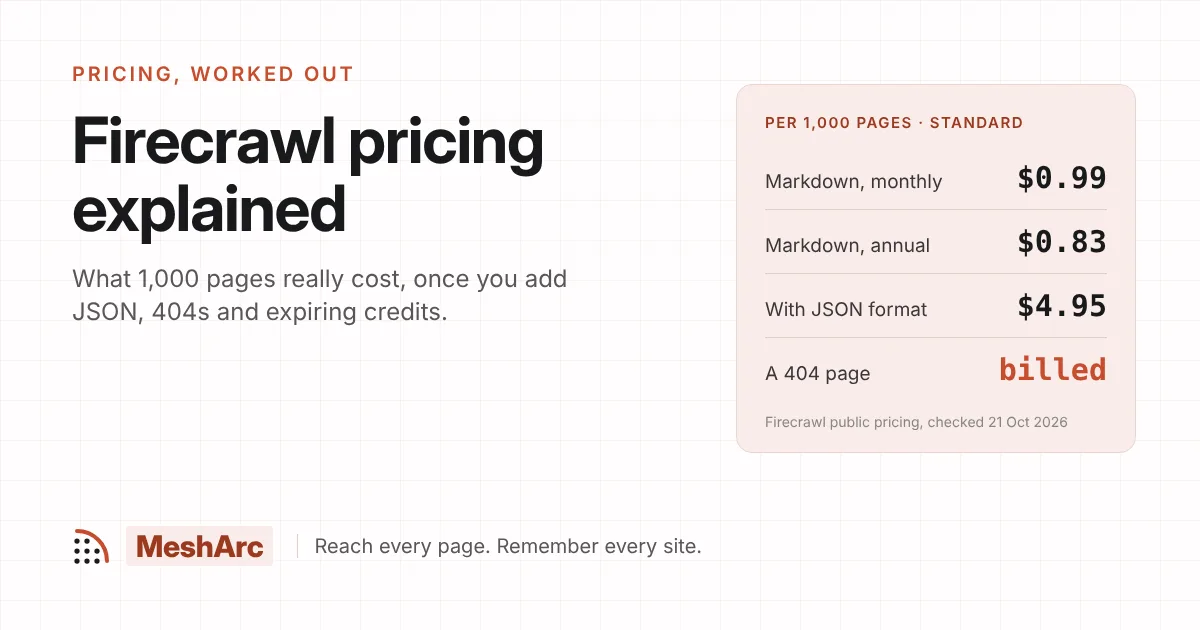
- Firecrawl's price is flat and simple. One credit a page, and its docs say enhanced proxy and auto-escalated retries carry no surcharge. If a site needs heavy treatment on every page, a flat $0.83 can beat a ladder that has to climb. The trade-off is that Firecrawl bills a page that comes back 403 or 404 at 1 credit; MeshArc bills neither. We worked through that in Firecrawl pricing explained.
- ScrapingBee and ZenRows are cheaper for plain pages. ScrapingBee's Startup plan works out at about $0.10 per 1,000 one-credit requests, against MeshArc's $0.20. If the site is not walled, the session rung is irrelevant and their base rate wins.
- ScrapingBee's Auto-Mode also escalates cheapest-first and, per its docs, costs 0 credits when every configuration fails. MeshArc is not alone in escalating. What it adds is replaying the earned session at a lower price instead of paying the premium rate on every page.
The full side-by-side, with the dated snapshot, is on compare.
Running it: a crawl that stays on the cheap rung
Install the client:
pip install mesharc
# or: npm install mesharc
Then crawl, cap what any one page may cost, and count which engine read each page:
from collections import Counter
from mesharc import MeshArc

arc = MeshArc()  # reads MESHARC_API_KEY

job = arc.crawl(
    "https://www.example.com",            # a Cloudflare-protected site
    limit=1000,                            # page budget
    crawlMode="sitemap_first",             # declared pages first, then links
    maxTier="browser",                     # never climb to residential
    scrapeOptions={"formats": ["markdown"]},
    config={
        "max_credits_per_page": 4,         # anything dearer is TIER_LIMIT, at 0
        "crawl_delay_ms": 1000,            # the default; be a polite visitor
    },
)

engines = Counter()
for page in job.pages():
    engines[page["method"]] += 1
    if page["errorCode"] != "OK":
        print(page["url"], page["verdict"], page["errorCode"], page["credits"])

print(engines)                       # expect one "browser", the rest "minted"
print(job.envelope["creditsUsed"])
method is the engine that read the page: browser for the render, minted for the session rung (the docs also call it http-jar). credits is what that page cost, and creditsUsed on the job envelope is the running total, so you can check the 4 + 2n arithmetic against your own run rather than taking ours on trust.
Two settings do the guarding. maxTier="browser" stops a refused page climbing to the residential, solver or unlocked rungs. max_credits_per_page is the finer cap: engines dearer than it are never tried, and a page only they could read is recorded as TIER_LIMIT and costs nothing. You find out that a page needed more, without paying for it.
If the site turns out to be worth watching, keep the crawl as a project and every later run is diffed against this one:
project = job.keep(name="Walled site", schedule="weekly")
Where the session rung does not help
Be clear about the limits before you plan a budget around $0.40:
- Sites that challenge every request. Cloudflare, not MeshArc, decides how long a clearance lasts and whether it is accepted from HTTP. If the session is refused, that page climbs again to a render at 4 credits, so the worst case is the render price, not a failure.
- Sites that refuse datacenter IPs outright. Those need the residential rung at 16 credits a page (1 MB included, 4 credits per extra MB), which is on Growth and Scale only. The session rung cannot fix an IP reputation problem.
- Interactive captchas. Turnstile or reCAPTCHA widgets on forms are a separate, opt-in feature (
solve_captcha, 22 credits when a token is bought). hCaptcha is detected and refused: MeshArc does not sell a solver it cannot run reliably. - Logged-in content. A session earned from a challenge is not a login. Pages behind a sign-in need a saved login (
login_id); without one they are judged alogin_wall, not read. - Hosted interactive browsers. If you need to click through a flow in a live browser you control, a browser-session product is the better tool.
And a note on manners: a site behind Cloudflare has usually chosen to be careful about automated traffic. Respect robots.txt (MeshArc does, and robots-blocked URLs are free because they are never fetched), keep the crawl delay sensible, and read only what you are entitled to read.
The short version
- A Cloudflare managed challenge needs a browser once, not on every page.
- MeshArc renders once at 4 credits, then reads the rest at 2 credits with the earned session: 202 credits for 100 pages, 2,002 for 1,000.
- That is $0.40 per 1,000 pages on Growth, $0.28 on Scale and $0.58 on Starter, and refused pages and 404s cost nothing.
- Flat-rate APIs are simpler and plain-page APIs are cheaper on unwalled sites. The session rung wins where a site walls you once and then lets you in.
Try it on the site that keeps walling you: paste the URL into the playground and see which rung read it and what it cost, or start free with 1,000 credits and no card, which is enough for about 499 pages of a Cloudflare site.
Related posts
How to keep a RAG knowledge base fresh without re-embedding everything
24 Oct 2026 · 8 min read
Crawl a site and see what changed.
A one-time 1,000 credits to start, browser tier included, no card. The playground answers in seconds.