Crawl a website into BigQuery or Snowflake on a schedule
A scheduled website crawler that turns pages into rows and MERGEs them into BigQuery or Snowflake, loading only what changed and never mistaking a blocked page for a deleted one.
On this page
A website is the one data source most teams still load by hand. The product catalogue, the regulator's publication list, the competitor's docs: someone writes a scraper, wraps it in cron, adds a loader, and three months later the dashboard is wrong because the site changed a template and the job kept inserting yesterday's rows.
This post builds the boring, correct version: a website crawler that runs on a schedule, turns each page into a row, and upserts it into BigQuery or Snowflake with a column saying what changed. It uses MeshArc, but the design notes apply whatever you build it with.
What a warehouse wants from a crawler
Four properties decide whether a crawled table is worth querying:
Coverage that keeps up. New pages should appear without anyone editing a URL list. That means discovery from the sitemap and links, not a hand-kept seed file.
Idempotent loads. Running the job twice must not create two rows. The load needs a key, and the warehouse needs a
MERGE, not anINSERT.Change, not churn. A table that rewrites every page every night is expensive and hides the three rows that actually moved. Load the changes, and say what kind of change each one is.
Refusal is not deletion. A page that was blocked or timed out tonight has not left the site. If the loader treats it as gone, your table loses rows every time the site has a bad night.
The rest of this post maps each of those onto configuration.
Step 1: a project with a schedule
In MeshArc a site you read more than once is a project: a seed URL, a scope and a schedule. Install the SDK:
pip install mesharc
# or: npm install mesharc
from mesharc import MeshArc

arc = MeshArc()  # reads MESHARC_API_KEY

project = arc.projects.create(
    "https://www.example.com",
    name="Supplier catalogue",
    schedule="daily",                    # manual | hourly | daily | weekly
    config={
        "max_pages": 2000,
        "include_paths": ["/products/*"],
        "exclude_paths": ["/products/*/reviews"],
        "sitemap_incremental": True,
    },
)

run = arc.runs.start(project["id"], wait=True)   # the first run is the baseline
A few details worth knowing before you pick a schedule:
Schedules run in UTC.
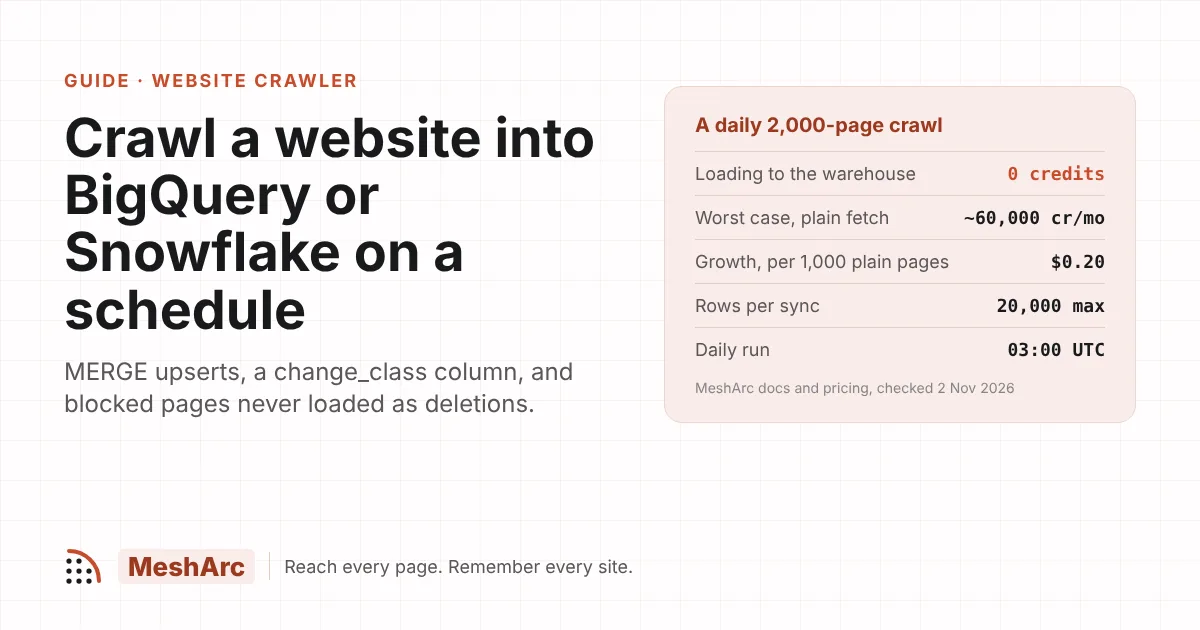
dailyruns at 03:00 UTC andweeklyon Mondays at 03:00 UTC. There is no time-zone setting, so plan downstream jobs around that.include_pathsandexclude_pathsare globs on the URL path. Excludes win, and an empty include list means the whole site.max_pagesdefaults to 100 and is capped by the plan's pages-per-run limit: 500 on Free, 5,000 on Starter, 50,000 on Growth, 200,000 on Scale.A run that stops at its page budget with URLs still queued is partial, and the diff withholds removals rather than guessing. Set the budget above the section's real size.
Discovery walks robots.txt, well-known paths and sitemap indexes two levels deep, then follows links. On a gov.uk discovery run it mapped 508,290 URLs from 29 sitemap files, so a catalogue of a few thousand pages is not the hard part.
Step 2: a warehouse connection
A connection is a provider plus the credentials to reach it. It belongs to the workspace, its secrets are encrypted at rest and never returned by the API, and you test it before use. Connections and destinations need an admin API key.
BigQuery ( | Snowflake ( | |
|---|---|---|
Config fields |
|
|
Secret |
| a password or a key pair (PEM) |
How it writes | one load job per run; upsert stages the rows, then runs | a temporary table, then |
Permissions |
| a role that can create and write tables in the schema |
The SDKs do not wrap connections or destinations yet, so this step uses the REST API at https://api.mesharc.dev/api/v1:
import os, pathlib, httpx

api = httpx.Client(
    base_url="https://api.mesharc.dev/api/v1",
    headers={"Authorization": f"Bearer {os.environ['MESHARC_ADMIN_KEY']}"},
)

conn = api.post("/connections", json={
    "provider": "bigquery",
    "name": "analytics-bq",
    "config": {"project": "acme-analytics", "dataset": "web", "location": "EU"},
    "secrets": {"service_account_json": pathlib.Path("sa.json").read_text()},
}).raise_for_status().json()

api.post(f"/connections/{conn['id']}/test").raise_for_status()   # one request
Give the service account those two permissions on one dataset and nothing else. A crawler has no business reading the rest of your warehouse.
Step 3: a destination on the project
A destination binds the project to the connection and says how rows are written. These are the settings that make the load idempotent and change-aware, from the connectors and destinations docs:
Setting | Value here | Why |
|---|---|---|
|
| The table; created if missing |
|
|
|
|
| One row per page, always the latest version |
|
| Writes only pages classed as added, modified or removed, field changes, and the baseline |
|
| Syncs as each run finishes |
dest = api.post(f"/projects/{project['id']}/destinations", json={
    "connection_id": conn["id"],
    "name": "catalogue → BigQuery",
    "target": "catalogue_pages",
    "mode": "upsert",
    "key": "url",
    "incremental": True,
    "schedule": "after_run",
    "shape": {"drop": ["markdown"]},   # keep the table lean; add it back if you need full text
}).raise_for_status().json()
The key is the decision that matters. url gives you a current-state table: one row per page, overwritten when it changes. url+content_hash gives you a history table: one row per version of each page, so you can ask what a page said before the March price rise. url+crawled_at gives one row per page per run, which is rarely what you want for a daily job. Many teams run two destinations on the same project — a lean current-state table and a full history table — since destinations cost nothing and a project can have up to 10.
Before you save, POST /destinations/preview with {project_id, shape, columns} returns the shaped rows of the last run, so you see exactly what will land. For typed fields such as a price or a publication date, declare them in the project's json_schema (filled from JSON-LD, Open Graph, microdata and <time> markup, with unresolved fields reported rather than guessed) and map them into columns with the destination's shape.
What lands in the table
The default columns are:
url, site, final_url, crawled_at, run_id, project_id, content_hash, markdown, word_count,
token_count, title, meta_description, canonical_tag, robots_content, h1_tag, redirect_urls,
response_status, block_reason, depth, change_class, added_words, removed_words, changed_fields
change_class is what makes the table useful downstream. Once rows are landing, the warehouse questions are plain SQL:
-- BigQuery: what changed on the supplier's site this week
SELECT url, change_class, title, added_words, removed_words, crawled_at
FROM `acme-analytics.web.catalogue_pages`
WHERE change_class IN ('added', 'modified', 'removed')
  AND crawled_at > TIMESTAMP_SUB(CURRENT_TIMESTAMP(), INTERVAL 7 DAY)
ORDER BY crawled_at DESC;

-- Pages whose canonical points somewhere else (a common sign of a migration)
SELECT url, canonical_tag
FROM `acme-analytics.web.catalogue_pages`
WHERE canonical_tag IS NOT NULL AND canonical_tag != url;
The same query works in Snowflake with DATEADD(day, -7, CURRENT_TIMESTAMP()).
Two behaviours protect the table from bad nights. A page the site refused this run is classed withheld, never removed, so a block is not loaded as a deletion. And a field that is suddenly empty on every page is raised as a selector break, rather than written into the warehouse as several thousand edits.
Operations: syncs, failures and limits
Sync history.
GET /destinations/{id}/syncslists each sync with rows written, rows skipped and why, the location, and any error.A failed sync does not fail the run. The crawl and its change record are kept; Sync now (
POST /destinations/{id}/sync) retries the load when your warehouse is back.20,000 rows per sync. With
incremental: trueon a daily job that is rarely reached. A deliberate full reload of a large site withincremental: falsewill take several syncs.Shape limits. Up to 20 filter conditions, 60 mapped columns and 8 chained functions per mapping. Shapes are declarative; no code runs on your rows.
What it costs
Destinations, change records, discovery and exports cost 0 credits on every plan. You pay for pages read, and several reads are free: refused pages, 404s and 410s, robots-blocked URLs, and — with sitemap_incremental on — pages the sitemap's lastmod shows as unchanged, carried forward from the last full run. A full run is still forced every 10 runs by default, when fewer than 90% of sitemap entries carry lastmod, or when a carried page is over 30 days old.
The docs' own figure for a 100-page project is about 400 credits a month weekly, or 3,000 daily, by plain fetch. The worst case for the 2,000-page catalogue above, every page re-read by plain fetch every day, is about 60,000 credits a month. Starter includes 100,000 credits for $29; Growth includes 500,000 for $99, which is $0.20 per 1,000 plain pages and $0.79 per 1,000 rendered ones. A site that needs a real browser costs 4 credits a page rather than 1, so budget for that if your source is a JavaScript shop front. The full table is on pricing, and if the site sits behind Cloudflare, the session rung explains why the second page costs 2 credits rather than 16.
Where other tools are a better fit
Checked on 2 November 2026:
Bright Data delivers scraper results to Snowflake, S3, Google Cloud Storage, Azure Storage, Pub/Sub and SFTP, in NDJSON, JSON, CSV or Parquet. If you want ready-made datasets for large marketplaces, its pre-built scrapers will get you there faster than configuring a crawl. Its docs do not list BigQuery as a delivery target.
An ELT tool you already run (Airbyte, Fivetran and the like) is a fine place for MeshArc to land. If your team standardises every source through one tool, export JSONL or CSV, or push to S3 or Postgres, and let it carry the data the rest of the way.
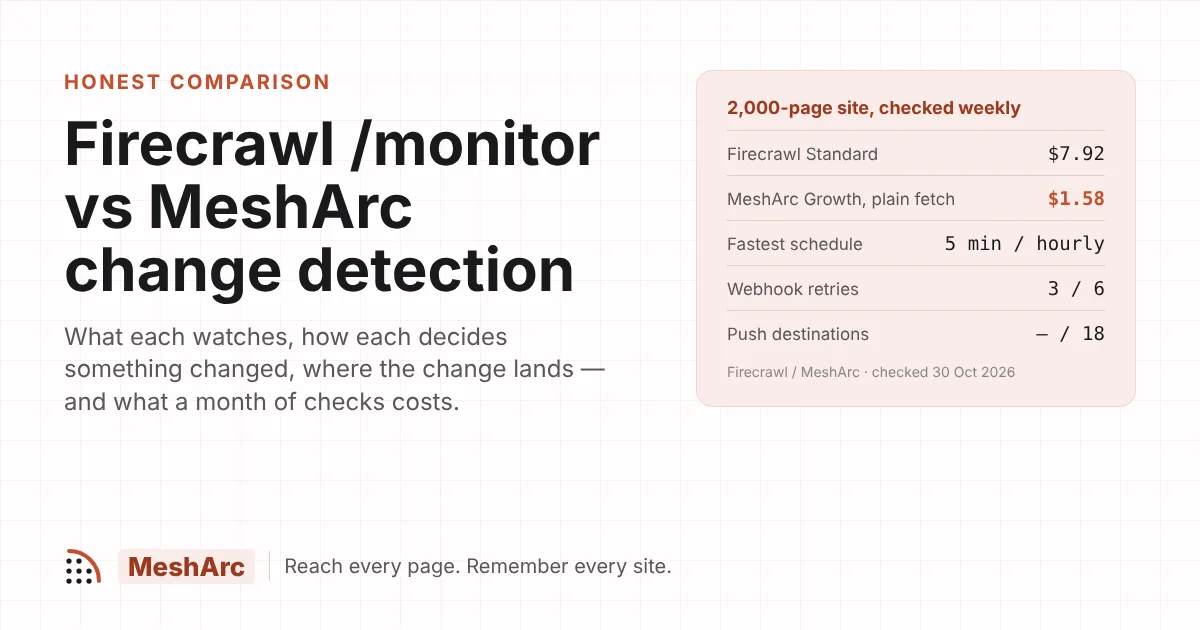
Scraping APIs at around $100 a month — Firecrawl, ScrapingBee, ZenRows, Scrapfly — return pages over HTTP, and some are cheaper per raw page than MeshArc (ScrapingBee and Scrapfly on plain pages, for example). None of them checked writes to a warehouse; the loader and the diff are yours to build. If you only need a one-off pull, that may be all you need.
Sub-hourly data belongs to a feed or an API, not a crawler. MeshArc's fastest schedule is hourly.
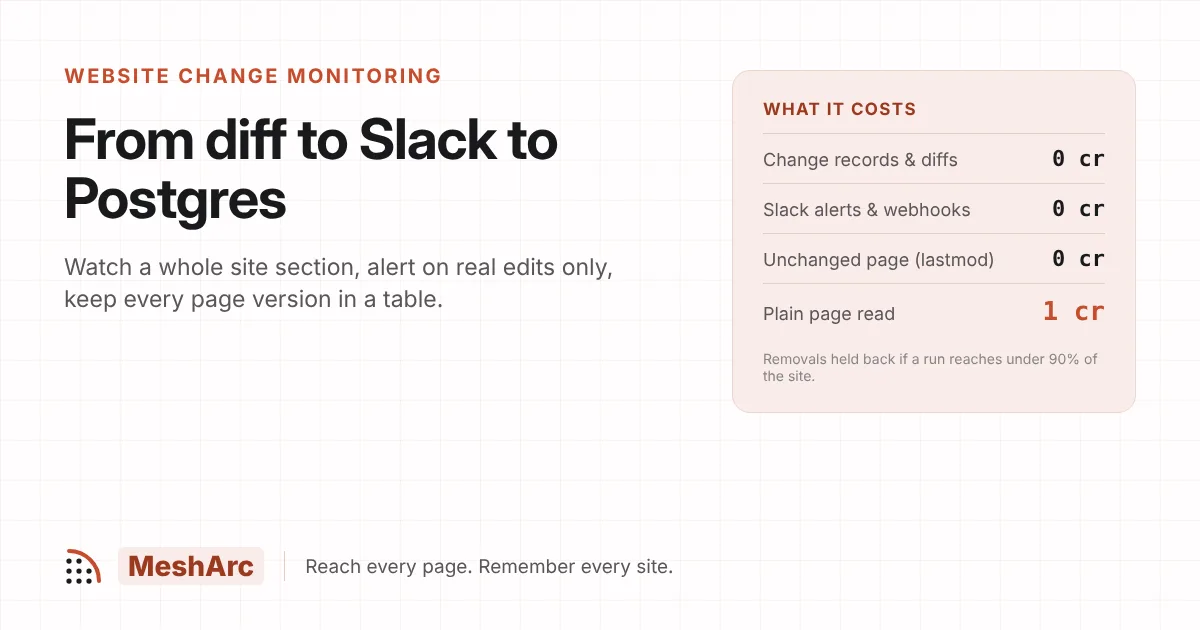
Where MeshArc fits best is the job in this post: the same site, read on a schedule, loaded by MERGE with a change_class column, without an ETL step in between. Side-by-side figures are on compare, and the use case in full is add any website to your data pipeline. The same pattern pointed at Postgres is in website change monitoring: from diff to Slack to Postgres, and pointed at a vector store, in keeping a RAG knowledge base fresh.
The short version
A project is the crawler: seed,
include_paths,max_pagesabove the section's real size, andschedule="daily"(03:00 UTC).A connection holds the warehouse credentials: BigQuery needs
project,dataset,locationand a service account with two permissions.A destination makes the load correct:
mode: upsert,key: urlfor current state orurl+content_hashfor history,incremental: true.Refused pages are withheld, not removed; failed syncs are retried, not lost.
Loading costs nothing; unchanged pages carried forward by
lastmodcost nothing.
Point the playground at the site you load by hand and see the row a page becomes, or start free with 1,000 credits and no card, and have the first table in your warehouse before tomorrow's 03:00 run.
Related posts
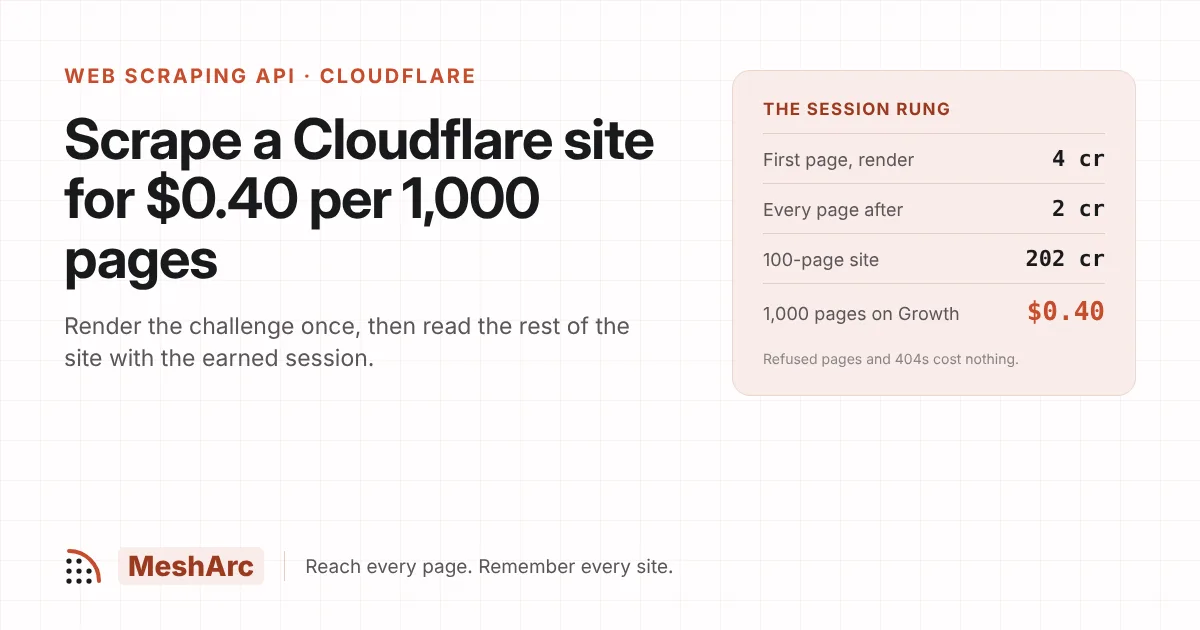
Scrape a Cloudflare-protected site for $0.40 per 1,000 pages: the session rung
30 Oct 2026 · 7 min read
Crawl a site and see what changed.
A one-time 1,000 credits to start, browser tier included, no card. The playground answers in seconds.