Replacing the Google Custom Search JSON API: a tested switch
Google's Custom Search JSON API ends on 1 January 2027. The checklist, the parameter map and the Python switch we would make, with a real run and what every search cost.
On this page
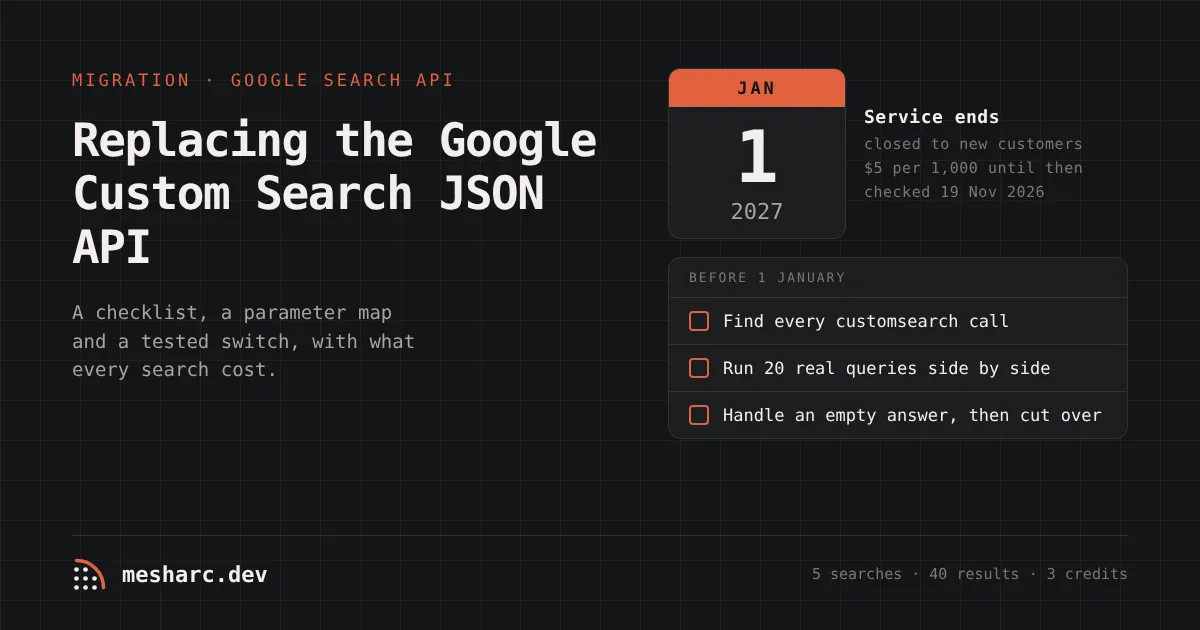
Google's Custom Search JSON API has a fixed end date. Its own overview page says the pricing applies "only to existing Custom Search JSON API customers until the service discontinuation on January 1, 2027", and that "this API is not available for new customers" (Google for Developers, checked on 19 November 2026). If an app, a script or an agent of yours calls customsearch.googleapis.com, it has about six weeks left.
This note is the switch we would make: a checklist, a parameter map, the Python before and after, and a real run of the replacement with what every search cost, including the one that returned nothing.
What stops, and what it costs until then
Until 1 January 2027, Google's terms stay as they are (checked on 19 November 2026):
Custom Search JSON API | Value |
|---|---|
Free queries | 100 a day |
Paid queries | $5 per 1,000 |
Daily ceiling | 10,000 queries |
Results a query can reach | 100 ( |
New sign-ups | Closed |
Two kinds of use sit behind most calls, and they have different replacements:
Whole-web search. An app or agent asks "what does the web say about X" and reads the ranked links. This needs another search API.
Searching your own site. A Programmable Search Engine restricted to one domain, often a help centre or docs site. This does not need a web search API at all; it needs an index of your own pages.
The checklist
Find every call. Search your code and config for
customsearch.googleapis.com,googleapis.com/customsearch,cse().listand the environment variables that hold thecxengine ID. Cron jobs and no-code automations count.Sort each call into whole-web or own-site. The engine's settings in the Programmable Search control panel tell you which sites it covers.
Map the parameters (table below) and note any you use that have no equivalent.
Run old and new side by side on 20 queries your users actually send, while the old key still works, and compare the top ten.
Handle an empty answer. Decide what your code does when a search returns no results, rather than discovering it in production.
Cut over, then delete the Google key before the end of December.
The parameter map
Custom Search ( | MeshArc | Note |
|---|---|---|
|
| Quotes and |
|
| Same ceiling: one results page |
|
|
|
|
| Two-letter code |
|
| |
|
| Coarser: |
|
| Up to 20 sites each; they become |
| — | There is no engine to configure |
| — | Web and news results only |
|
| Plus |
Before and after
Before: a typical Custom Search call with an optional site filter.
# before: Google Custom Search JSON API (ends 1 January 2027)
import os
import httpx

def google_cse(q, start=1, site=None):
    params = {"key": os.environ["GOOGLE_API_KEY"], "cx": os.environ["GOOGLE_CSE_ID"],
              "q": q, "num": 10, "start": start}
    if site:
        params |= {"siteSearch": site, "siteSearchFilter": "i"}
    r = httpx.get("https://customsearch.googleapis.com/customsearch/v1", params=params)
    r.raise_for_status()
    return [{"url": i["link"], "title": i["title"], "snippet": i.get("snippet", "")}
            for i in r.json().get("items", [])]
After: the same function on MeshArc, returning the same shape, so the code that calls it does not change.
# after: MeshArc web search. pip install mesharc, with MESHARC_API_KEY set
from mesharc import MeshArc

arc = MeshArc()

def web_search(q, start=1, site=None):
    res = arc.web_search(q, limit=10, page=(start - 1) // 10 + 1,
                         include_domains=[site] if site else None)
    if res.get("status") == "blocked":   # every engine refused or had nothing: 0 credits
        return []
    return [{"url": h["url"], "title": h["title"], "snippet": h.get("snippet", ""),
             "engine": h["engine"]} for h in res["data"]]
Install:
pip install mesharcTwo differences to know before you swap it in. MeshArc reads results pages: Google's first, and when Google refuses or reads short, DuckDuckGo's and then Bing's. Every result says which engine answered it in engine, so keep that field and log it. And a search waits for its answer (MeshArc aims for about 35 seconds), so a call that used to come straight back can take tens of seconds here. Run it off the request path, or cache it.
If you need the pages as well as the links, scrape=True returns each result's page as Markdown in the same call, charged like any page.
A real run, 19 November 2026
Five searches through MeshArc's hosted MCP server, the same search_web route the SDK calls:
Search | Results | Engine that answered | Credits |
|---|---|---|---|
| 10 | DuckDuckGo | 1 |
| 10 | DuckDuckGo | 1 |
| 10 | (cache) | 0 |
| 10, all on docs.python.org | DuckDuckGo | 1 |
| 0 ( | none | 0 |
Five searches, 40 results, 3 credits. That is about $0.0006 on the Growth plan, against $0.025 for the same five on Custom Search's paid tier (or nothing, inside its 100 free a day).
What the run also showed, and what you should check on your own queries:
Google answered none of the five. Each time it asked for JavaScript or refused, and DuckDuckGo's results were used. If your product promises "Google's results", that matters; check the
enginefield on your 20 test queries.The site-restricted search that failed cost nothing, and its
attemptssaid why: Google listed 9 results, 5 of them outside the domain, and Bing listed 10, all outside it. A narrow filter on a vague query can come back empty, so theblockedbranch in the code above is not optional.The two site-restricted searches took over 40 seconds each and came back as jobs to poll. The SDK polls for you when
wait=True, the default.
What it costs, side by side
Prices checked on 19 November 2026 on each vendor's own page. MeshArc's dollar figures are computed from the plan price and its credits.
Custom Search JSON API | MeshArc | |
|---|---|---|
1,000 searches, Google answers | $5.00 | $0.79 on Growth (4 credits each), $1.16 on Starter |
1,000 searches, DuckDuckGo or Bing answers | — | $0.20 on Growth (1 credit each), $0.29 on Starter |
A search that returns nothing | Not stated on the overview page | 0 |
The same search within the hour | Another query | 0 |
Free allowance | 100 a day, about 3,000 a month | 1,000 credits once (250–1,000 searches), no renewal |
Answer time | A direct API call (not measured here) | Aims for ~35 s; over 40 s twice in our run |
Image search | Yes ( | No |
Available after 1 January 2027 | No | Yes |
The bold rows are where Custom Search is better, and they are real: a hobby project living inside 100 free queries a day, an interface that needs results in under a second, or an image search will not be well served by this switch. For low-latency, full-feature results pages, a dedicated SERP API is the better fit, as our own web search API page says.
If you were searching your own site
A Programmable Search Engine pointed at your own domain is really a site search, and a web search API with a domain filter is a poor substitute: as the run above shows, a narrow filter can return nothing. Index your own pages instead.
With MeshArc that is a project on your site, crawled on a schedule, with a search over the stored pages:
project = arc.projects.create("https://help.example.com", name="Help centre", schedule="daily")
arc.runs.start(project["id"], wait=True)
hits = arc.search(project["id"], '"refund policy"')   # pages that say it, from the last run
A 200-page help centre read with plain fetches costs 200 credits a run, and pages the sitemap marks unchanged are carried forward at 0. Every run also tells you which pages were added, changed or removed. The same pages can feed an AI assistant; MeshArc's MCP server gives Claude or Cursor the same search.
Before 1 January
Six weeks is enough if you start with the inventory. Run your 20 real queries through both APIs this week, while the Google key still answers, and decide on the evidence.
Try a search in the playground to see what comes back and which engine answered, or sign up for 1,000 free credits, no card. The plans are on the pricing page.
Related posts
Crawl a site and see what changed.
A one-time 1,000 credits to start, browser tier included, no card. The playground answers in seconds.